# Advanced Tables Plugin
(Summary:: Improved table navigation, formatting, and manipulation)
[GitHub Link](https://github.com/tgrosinger/advanced-tables-obsidian)
must have `|` on outside of table to be recognized by plugin ^1329d4
## What it does
Add improved navigation, formatting, and manipulation to markdown tables in Obsidian:
- Auto formatting
- Excel-like table navigation (tab/enter between cells and rows)
- [Spreadsheet formulas!](https://github.com/tgrosinger/advanced-tables-obsidian/blob/main/docs/help.md#using-formulas-in-markdown-tables)
- Add, remove, and move columns and rows
- Set column alignment (left, center, right)
- Sort rows by a specified column
- Export to CSV
- Works on Obsidian Mobile (See notes below)
## Formulas and Spreadsheets in Markdown!
[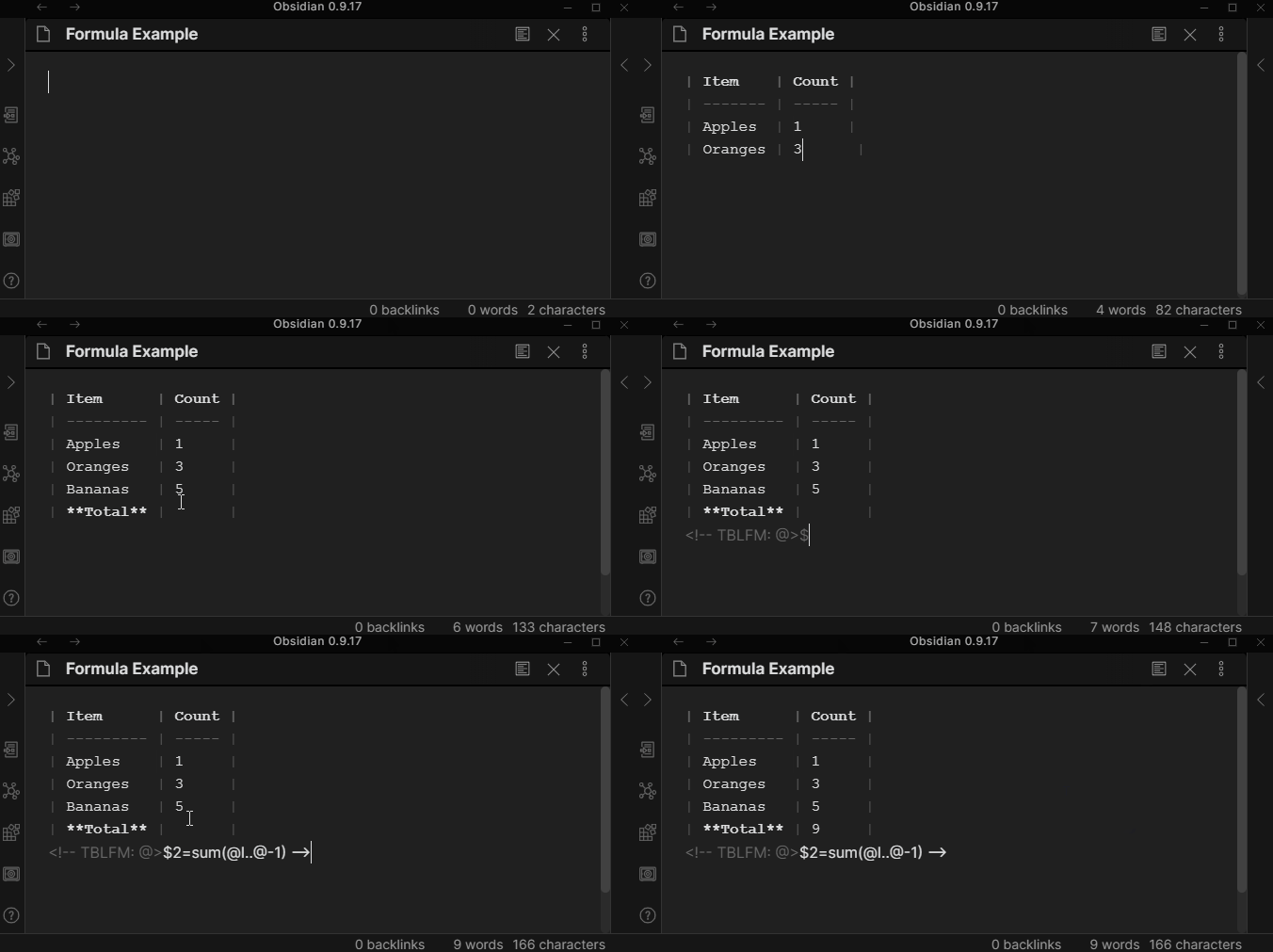](https://raw.githubusercontent.com/tgrosinger/advanced-tables-obsidian/main/resources/screenshots/formulas-demo.gif)
For more information on using formulas, visit the [Help Docs](https://github.com/tgrosinger/advanced-tables-obsidian/blob/main/docs/help.md).
## Obsidian Mobile
When using Obsidian on a mobile device, the Advanced Tables plugin can be used. Using Enter and Tab to navigate the table will not work, however you can add the "Next Cell" and "Next Row" commands to the mobile toolbar and use them to navigate, or use the buttons from the sidebar.